Tumblr makes it look really low quality, but they’re fine if you click on them~ 🙂
Tutorial time! Here’s a quick hair tip tutorial for eat-my-shxrts (I’m working on the eyes/facial features one, but since I finished this one I thought I’d post it 🙂 Hope this is helpful, I wish I was better at explaining how I draw XD
I also included a process gif! Featuring some of my faves with varying hairstyles~ 🙂 ❤
thank you so much!! I…okay!! i’m not particularly good at armour or teaching or well anything really so if anyone wants to point out mistakes or add to this feel free to do so, i’m not sure what part you struggle with so i included shading too? I hope this helps! I’d suggest looking at different medieval armour suits to have a better idea of the parts and shapes but here goes nothing
HEREis a much better explanation with all the layers and a much more realistic approach by perplexingly that your should definitely check out, also their art is fantastic!!
HERE you can find armor parts and if you click around you will see tons of armor reference
I decided to jump into the program and figure it out. So, here’s a super quick and dirty guide to all the basic info you might need.
Toolbar / Brushes
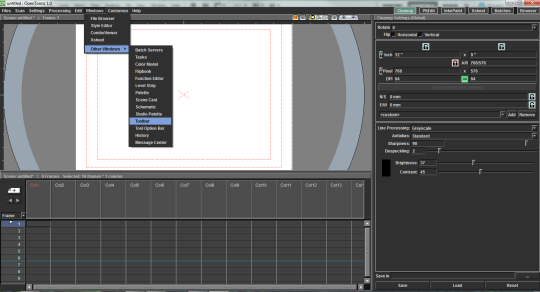
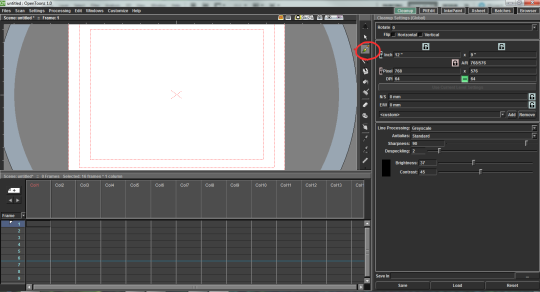
The toolbar is automatically hidden. You can get it with Windows > Other Windows > Toolbar
It will open as a pop-up and you can drag it and snap it into place.
Timeline
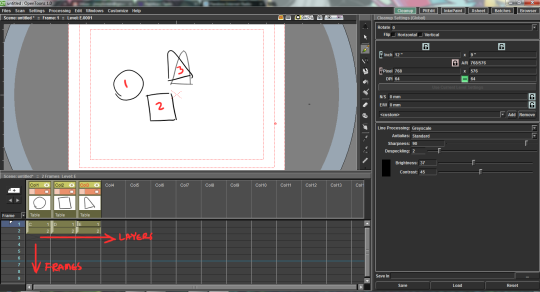
The timeline is a little different from Flash/Toonboom Harmony in that it reads more like a x-sheet. Layers (”Columns”) go from left to right and Frames go top to bottom.
Right-clicking on a frame will give you options to put the frame on 2′s, etc. (the “step” option).
Onion Skin
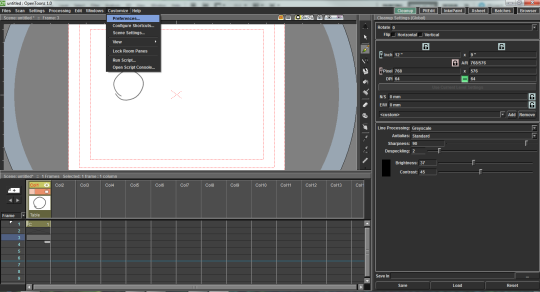
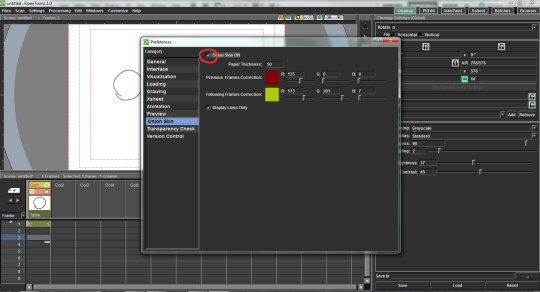
This was one of the more confusing ones. You can get to it with Customize > Preferences > Onion Skin
Be sure to check the box next to “Onion Skin ON”.
Getting onion skin to work in the timeline is a little weird at times. Like in Flash and Harmony, there are markers you can drag to expand the onion skin. If you aren’t seeing your previous drawing, try putting your frame on 2′s.
Viewing Your Work
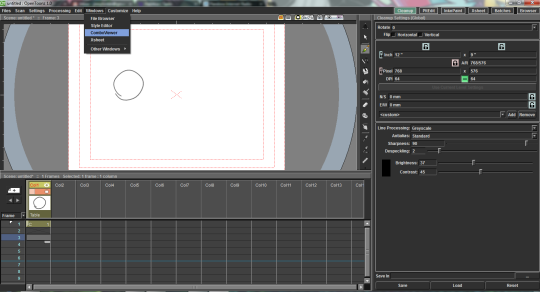
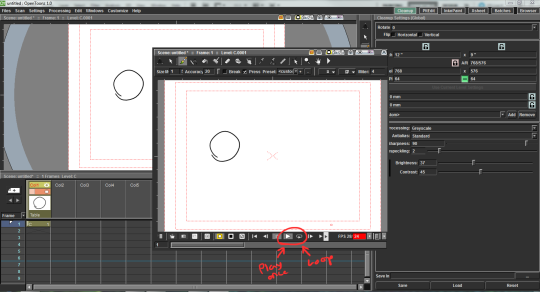
To play your animation you’re going to need to open a new window by going to Windows > ComboViewer
It has play, loop, etc.
Anyway I hope that helps! Basically just play around with it.




 Aliquid de Magis